 SVAYAM
BOQ and quotation software for home automation
Turn a floor plan or quote into a priced, photo-rich BOQ in minutes.
The live demo runs in your browser on sample data. Nothing you do is saved or sent anywhere.
The problem it solves
Making an electrical BOQ from a floor plan meant counting every light on the layout by hand, which took hours, and one miscount meant a wrong quote. The original tool also kept only one live BOQ per system type, with no history and no way to see who touched it.
What BOQ Studio does
Floor plan to BOQ handoff
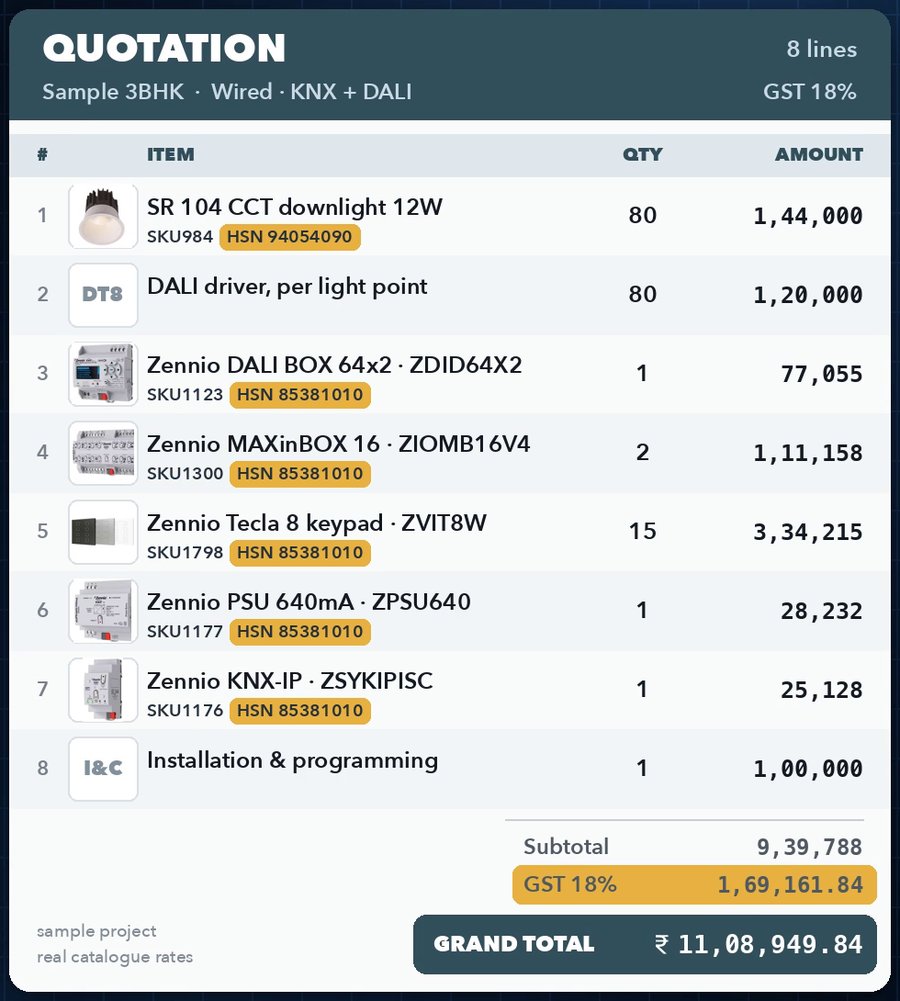
The Extractor decides devices per room and sends them to BOQ Studio, keeping the room-by-room split, for a final priced BOQ with photos and HSN.
Large device library with photos
Thousands of catalogue devices with product photos, HSN and GST, searchable by any word: name, code, brand, category, description, HSN or price.
Import from Zoho, Excel or PDF
Bring in an existing quote; floors and rooms are detected, and lines are linked to library devices by product code so photos and HSN carry across.
Themed PDF, Excel and Word exports
Eight print themes for Preview/Print/Word and PDF, each room on its own page with letterhead; installation lines always print last.
Final discount, GST-correct
An overall discount after subtotal and before GST, as % or flat amount, spread proportionally across mixed GST rates.
One-click GST for the whole quote
Set the GST rate on every item in every room in one action.
BOQ Log with history
Every BOQ is logged, reopenable, searchable and shows who made it; clone any BOQ to start a variant.
Assembler (procurement list)
Rolls every device across rooms into one list in SKU order with per-room quantities, editable rates, and its own PDF and Excel downloads.
Shared across the team
Users, the BOQ Log and devices anyone adds sync through a shared backend, so the whole team works from one library.
Wired and wireless workflows
Wireless quotes can follow a fixed device sequence; drag to reorder lines, rooms and assembler items; floors group rooms.
How it looks
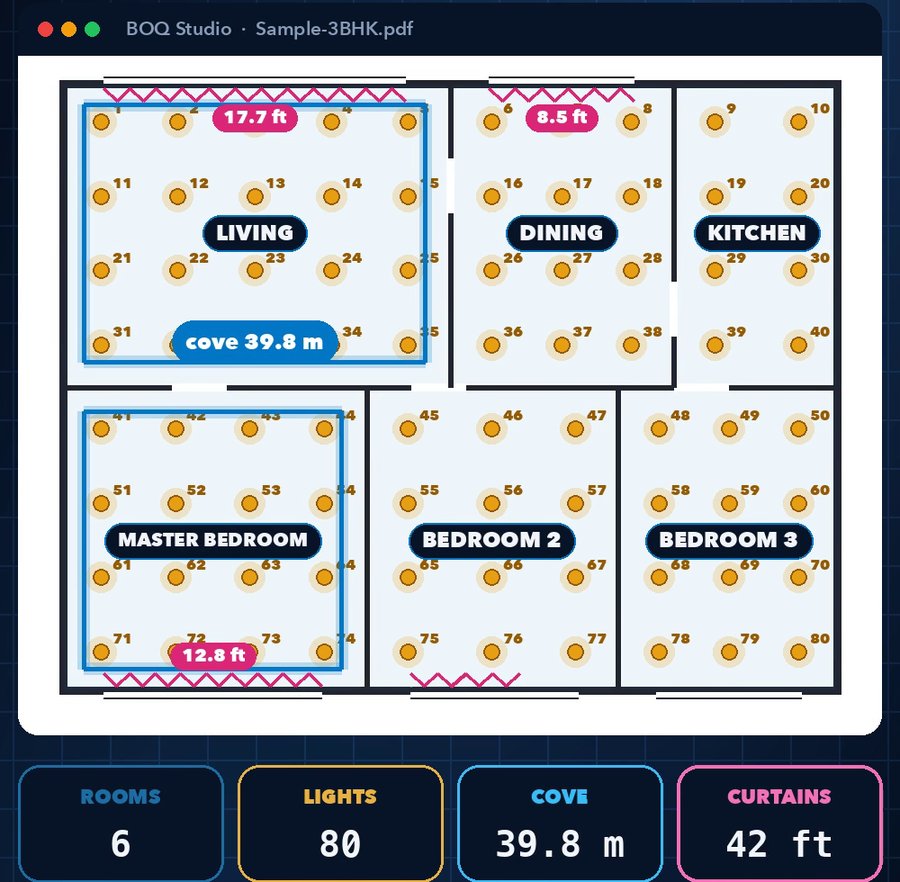
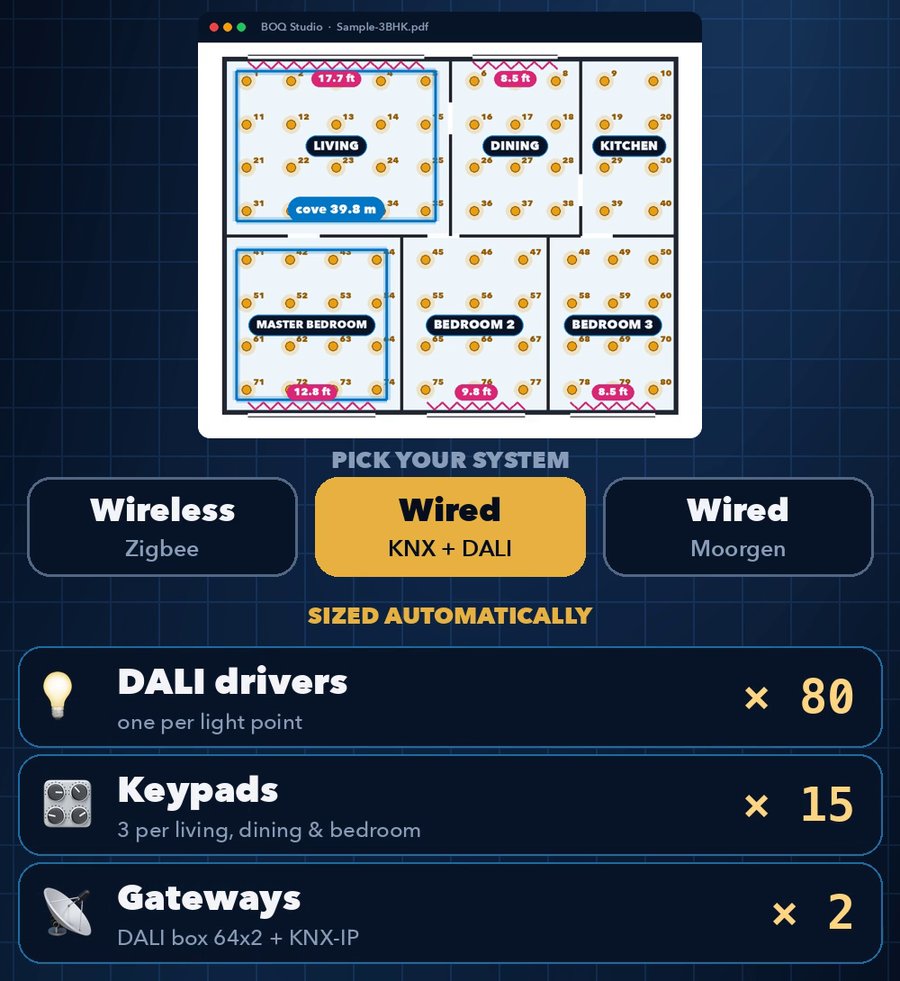
Screens from our own videos and sample projects.
Measured, not promised
How it works
Start a BOQ: pick wired or wireless, or bring in a floor plan draft from the Extractor or an existing Zoho/Excel/PDF quote.
Add rooms and floors; pick devices from the library (photo, HSN, GST and rate come with them).
Adjust quantities, GST and an overall discount; check the assembler list.
Download the quote as PDF, Excel or Word in your chosen theme, the whole project or one room.
Every BOQ is saved to the shared BOQ Log to reopen, search or clone.
Good to know before you start
- Drag-and-drop reordering works on desktop only; HTML5 drag doesn't work on phones.
- When one product code has several colour-temperature variants, an imported line may pick the wrong variant's rate; worth a glance after import.
- Some catalogue devices (e.g. the Alluria range) carry no price until a price list is supplied.
Questions people ask about BOQ Studio
Can I import a quote from Zoho Books?
Yes. Zoho/Excel/PDF quotes import with floors and rooms detected, and lines are matched to library devices by product code so photos and HSN come across.
How is the final discount taxed?
It is applied after the subtotal and before GST, reducing the taxable value, and spread proportionally across lines with different GST rates.
Can I send just one room?
Yes. Each room has its own Download button, so one area can go out without the rest of the quote.
Does everyone on the team see the same devices and BOQs?
Yes. Devices added by anyone, users and the BOQ Log are synced through a shared backend.
Can I search old BOQs?
Yes. The BOQ Log search matches BOQ name, client details, system type, source and who made or edited it.
Which outputs does it produce?
PDF, Excel and Word/Print, plus a separate assembler list as PDF or Excel.
See it on your own project
Every system here is in daily use at Ebullient Automation Pvt Ltd. Try the live demo yourself, then talk to us about setting it up for your team.
- Company
- Ebullient Automation Pvt Ltd
- Address
- A-52, 3rd Floor, Pravasi Industrial Estate, Goregaon East, Mumbai, Maharashtra 400063
- Phone
- +91 70212 11628
- hello@ebullientlife.in