 SVAYAM
One place for clients, site visits, attendance and leads
One place for every client, note, document, visit and lead — from your phone.
The live demo runs in your browser on sample data. Nothing you do is saved or sent anywhere.
The problem it solves
After a site visit, anyone should be able to add what is needed just by speaking or dropping a file, with the system working out which client and category it belongs to, or asking rather than guessing. The team also needed one page where everyone sees everything at a glance.
What Client Hub does
Voice and text notes
Speak or type a dated note on any client; English and Hindi voice capture.
Document extraction and filing
Drop a file; the Hub reads its text, guesses category, amount, date and reference, and asks rather than guesses when unsure.
Reminders and to-dos with push alerts
Tag who a to-do is for and they get a push; reminders alert a week, a day, 2 hours and minutes before the due time.
Attendance with office check
Mark in and out; office presence is checked by the office network and phone location, and each person is tied to their own phone.
Fingerprint phone lock
A phone can be confirmed with its fingerprint passkey, so clearing browser data doesn't need a new admin approval.
Site-visit trips
Going to site → reached → leaving → back at office, each timed, logged per client with travel and on-site durations.
Service calls
Log a client's problem after handover; it closes only with a note of what was actually done, and can be reopened.
Ad leads page
Meta lead-ad form fills arrive automatically, with rating, status, follow-up dates, Call/WhatsApp buttons and convert-to-client.
Reports with charts and monthly archive
Attendance heat maps, site-visit matrix and time-given charts; each finished month is saved to Google Drive as CSV.
Overview Desk
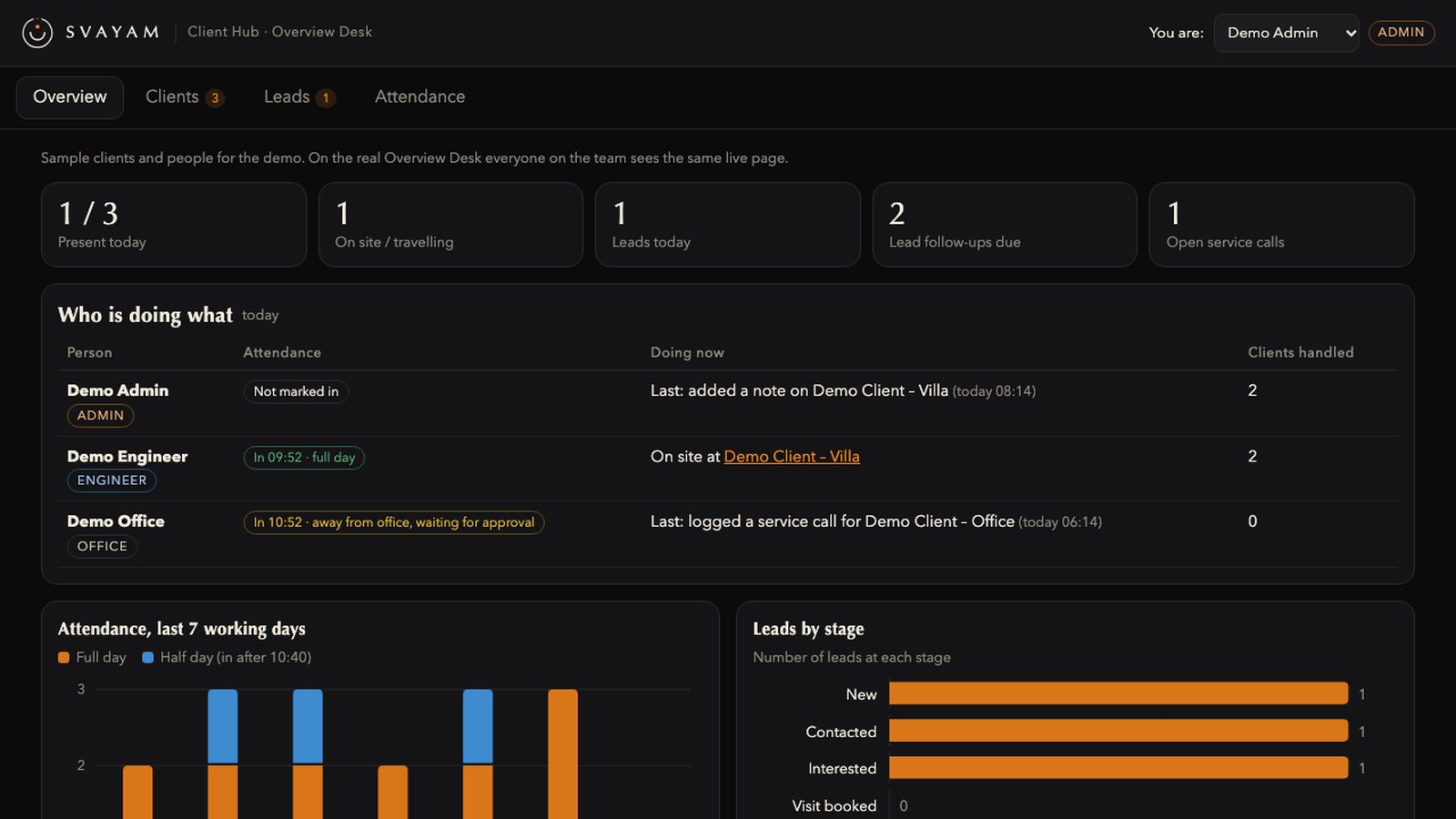
One page with who is in, site work, service calls, leads, reminders and charts, plus tabs per admin and engineer; installable as a phone app.
Measured, not promised
How it works
Open the Hub (or install it on your phone) and pick a client.
Speak, type or drop a file; it is filed under the right client and category.
Engineers mark attendance and log site trips and service calls from their phone.
Reminders, tagged to-dos and new leads arrive as push alerts.
Owners and admins watch the Overview Desk and monthly reports.
Good to know before you start
- A web page cannot read the WiFi network name; office presence uses the network address and location instead.
- Handing someone your actual phone still works; no app can stop that.
- Phone location can be faked; faking the exact site location isn't caught.
- Voice capture uses the browser's speech engine; mixed Hindi-English in one sentence won't transcribe perfectly.
- Some phones (e.g. Xiaomi/MIUI) hold push alerts while the browser is in the background unless their battery settings are changed.
Questions people ask about Client Hub
Does it work on a phone?
Yes. It installs as a phone app from the browser (Android and iPhone) and uses the same server.
Can it tell whether someone is really at the office?
It checks the office network and the phone's location; a web page cannot read the WiFi name itself.
Can a colleague mark attendance for someone else?
Marks need that person signed in on their own registered phone; a phone registered to someone else is refused.
Can several people handle one client?
Yes. Tag several handlers; the client shows in each person's view and each newly tagged person gets an alert.
Where are the documents stored?
In Google Drive, one folder per client.
Do reminders reach phones when the app is closed?
Yes, as web push notifications; delivery on some phones depends on their battery settings.
See it on your own project
Every system here is in daily use at Ebullient Automation Pvt Ltd. Try the live demo yourself, then talk to us about setting it up for your team.
- Company
- Ebullient Automation Pvt Ltd
- Address
- A-52, 3rd Floor, Pravasi Industrial Estate, Goregaon East, Mumbai, Maharashtra 400063
- Phone
- +91 70212 11628
- hello@ebullientlife.in